
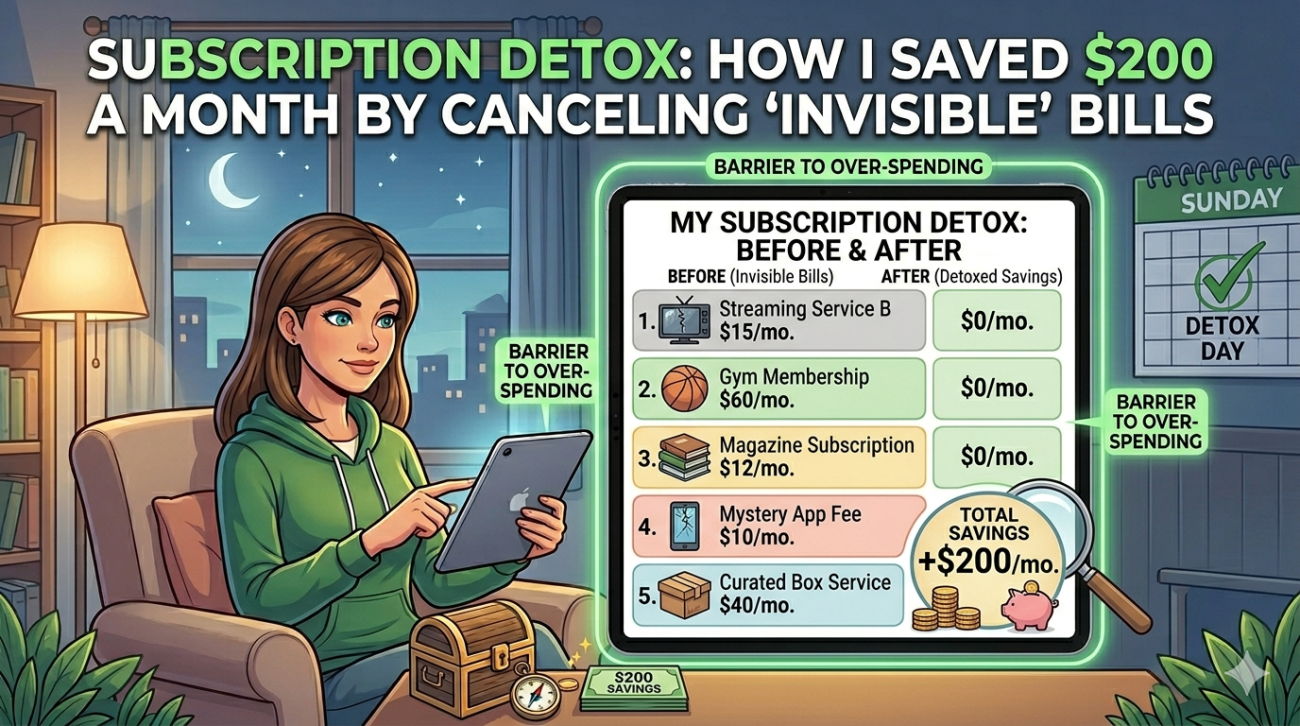
You know that feeling when your bank balance looks thinner than it should, even though you haven’t made any big purchases? For years, I blamed impulse buys or rising grocery costs. But the real culprit? A silent army of subscription services quietly draining my account every month. After a brutal financial audit, I launched a full-scale subscription detox—and uncovered nearly $200 in monthly “invisible” bills I didn’t even remember signing up for. This isn’t just about canceling Netflix. It’s about reclaiming control over your finances by identifying and eliminating recurring charges you no longer use, need, or even notice.
What Are “Invisible” Bills—And Why Do They Matter?
Invisible bills are recurring payments that slip under your radar. They’re not utilities or rent—they’re the sneaky subscriptions you signed up for during a free trial, forgot to cancel, or no longer get value from. Think fitness apps, cloud storage you don’t use, premium music services, or even software subscriptions from old jobs.
These charges often start small—$5 here, $10 there—but they compound. Over time, they create a subscription creep that quietly inflates your monthly expenses. According to a 2023 study by C+R Research, the average American spends over $200 per month on subscription services. Many don’t even realize how much they’re paying until they do a deep dive.
The good news? A subscription detox can reverse this trend. By auditing your bank statements and credit card charges, you can identify, evaluate, and eliminate unnecessary recurring payments—freeing up cash for savings, debt repayment, or things that truly matter.
Step 1: Audit Your Subscriptions Like a Pro
The first step in any successful subscription detox is a full financial audit. I started by reviewing the last three months of my bank and credit card statements. I looked for any recurring charge—no matter how small.
Here’s how you can do it:
- Download statements from your bank and credit card providers.
- Highlight recurring charges—anything that appears monthly or annually.
- Categorize them: entertainment, productivity, health, software, etc.
- Note the amount and frequency of each charge.
I was shocked to find subscriptions I hadn’t used in over a year: a meditation app I downloaded during lockdown, a premium grammar tool from a freelance gig, and even a magazine subscription I’d forgotten to cancel after a free trial.
Pro Tip: Use Subscription Tracking Tools
Manually reviewing statements works, but it’s time-consuming. I now use apps like Rocket Money (formerly Truebill) and Trim to automatically scan my accounts and flag recurring charges. These tools not only identify subscriptions but also help negotiate lower rates or cancel them directly—saving me hours of work.
Step 2: Evaluate Each Subscription—Is It Worth It?
Not every subscription is bad. Some provide real value. The key is to assess each one honestly. I created a simple evaluation framework:
- Do I use it regularly? If not, why am I paying?
- Could I get the same value for free or cheaper? (e.g., free cloud storage, public library apps)
- Does it align with my current goals? (e.g., fitness apps when I’m not working out)
- Is there a better alternative? (e.g., switching from Adobe Creative Cloud to Canva Pro)
For example, I was paying $15/month for a meal-planning app. But I only used it twice in six months. I canceled it and switched to free meal templates on Pinterest—same result, zero cost.
The 30-Day Rule
When in doubt, I apply the 30-day rule: if I haven’t used a service in the past month, I cancel it. This simple test helped me eliminate over half of my subscriptions. It’s amazing how many “nice-to-haves” become “don’t-needs” when you pause them.
Step 3: Cancel Strategically—Don’t Just Quit
Canceling subscriptions isn’t just about hitting “unsubscribe.” You need a strategy to avoid backlash fees, data loss, or accidental reactivation.
Here’s my step-by-step cancellation process:
- Check the terms: Some services require 30-day notice or charge early termination fees.
- Download your data: Save files, playlists, or content before canceling (e.g., export playlists from Spotify).
- Use the right channel: Cancel through the provider’s website—not email or app stores—to ensure it’s processed correctly.
- Confirm in writing: Save confirmation emails or screenshots as proof.
- Monitor your account: Ensure the charge doesn’t reappear the next month.
I once canceled a subscription via email and assumed it was done. Two months later, I was still being charged. Lesson learned: always verify cancellation through the provider’s portal.
The $200 Breakdown: Where My Money Was Going
After my audit, I tallied up all my recurring charges. The total? $217.43 per month. Here’s where it went:
- Streaming Services: $48 (Netflix, Hulu, Disney+, HBO Max—yes, I had all four)
- Fitness & Wellness: $35 (gym app, meditation app, vitamin subscription)
- Productivity Tools: $42 (premium note-taking app, cloud storage, grammar checker)
- News & Magazines: $28 (digital subscriptions I rarely read)
- Miscellaneous: $64.43 (software licenses, niche hobby apps, forgotten free trials)
By canceling or downgrading 11 subscriptions, I saved $198.50 per month—nearly $2,400 per year. That’s a vacation, an emergency fund boost, or a serious dent in student loans.
How to Prevent Subscription Creep in the Future
A one-time detox is great, but the real win is preventing subscription creep from happening again. Here’s how I stay on top of it:
- Set a monthly reminder to review subscriptions (I use Google Calendar).
- Use a dedicated email folder for subscription confirmations and renewal notices.
- Enable spending alerts on your bank app for charges over $10.
- Ask before you subscribe: “Will I use this in 30 days?”
- Share subscriptions with family or friends to split costs (e.g., Netflix family plan).
I also created a subscription tracker spreadsheet with columns for service name, cost, renewal date, and usage frequency. Updating it monthly keeps me accountable.
Key Takeaways: Your Action Plan for a Successful Subscription Detox
- Start with an audit: Review bank and credit card statements for recurring charges.
- Evaluate honestly: Use the 30-day rule and ask if each subscription adds real value.
- Cancel strategically: Follow proper steps to avoid fees or data loss.
- Track and prevent: Use tools and habits to stop subscription creep.
- Save and redirect: Put the freed-up cash toward financial goals.
A subscription detox isn’t about deprivation—it’s about intentionality. It’s choosing where your money goes instead of letting invisible bills decide for you.
FAQ: Subscription Detox Questions Answered
How do I find hidden subscriptions I forgot about?
Review your bank and credit card statements for the past 3–6 months. Look for recurring charges, even small ones. Use apps like Rocket Money or Trim to automate the process. Check your email for renewal notices or trial expiration alerts.
Is it safe to cancel subscriptions through third-party apps?
Most reputable apps like Rocket Money and Trim are secure and only access your financial data with permission. However, always cancel through the original provider’s website when possible to ensure the process is complete. Avoid apps that ask for your login credentials directly.
What if I cancel a subscription and later regret it?
Many services offer free trials or discounted reactivation periods. If you realize you miss a service, contact customer support—they may reinstate your account or offer a promo. Alternatively, look for free alternatives or shared plans to reduce costs.
Taking control of your subscriptions isn’t just a money move—it’s a mindset shift. By conducting a subscription detox, I didn’t just save $200 a month. I gained clarity, reduced financial stress, and redirected my resources toward what truly matters. You can do the same. Start today—your future self will thank you.
